Your Shield PRO is Ready!
Follow the steps below to install Hinchy's Shield on your Android device.
Payment Confirmed — Lifetime AccessFile size: ~115 MB • Compatible with Android 8.0+
Installation Guide
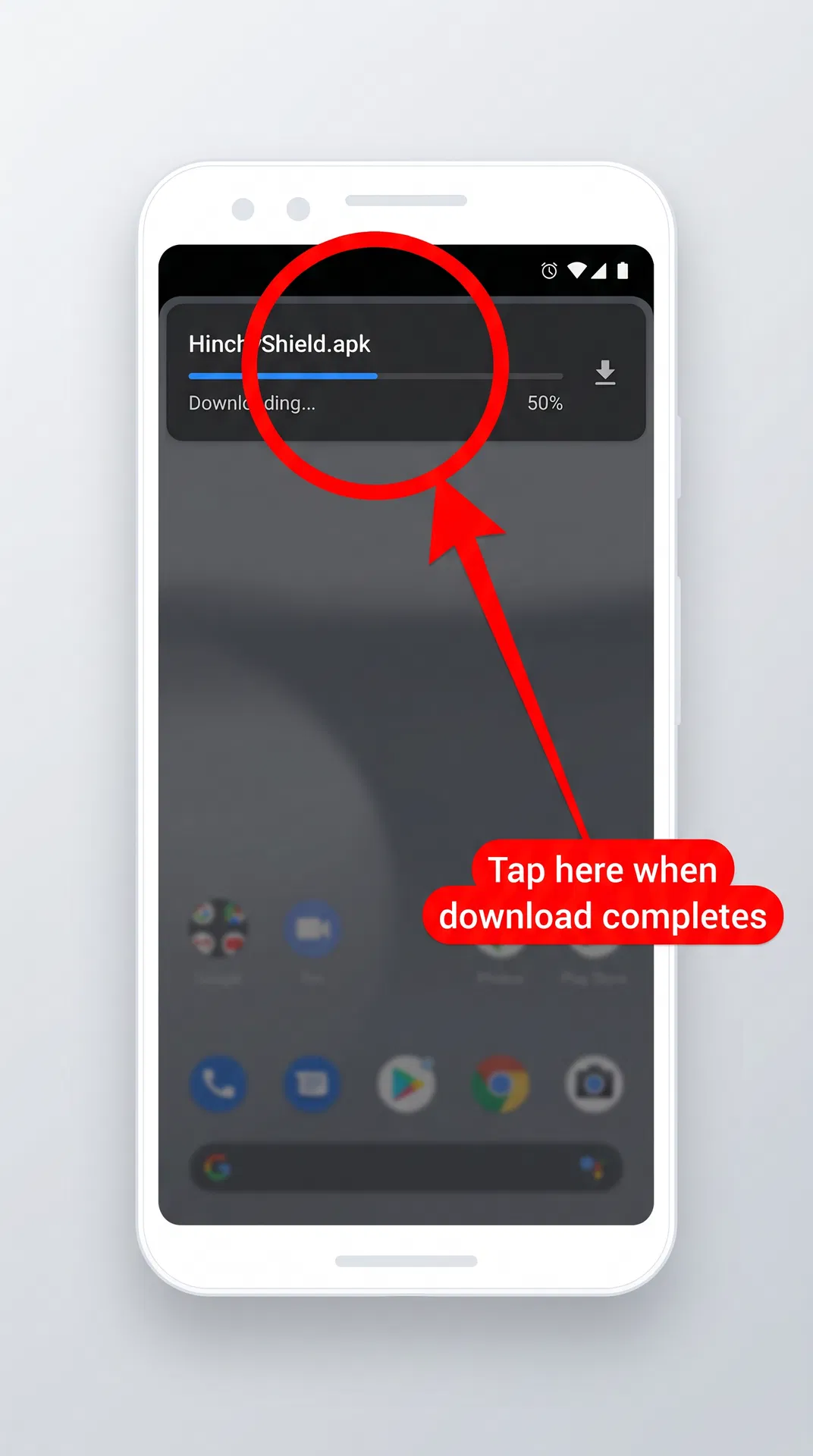
Download the APK
Tap the green download button below. The file (HinchyShield.apk) will save to your phone's Downloads folder.
Tip: If your browser asks "Keep or Discard?", tap Keep. The file is safe.
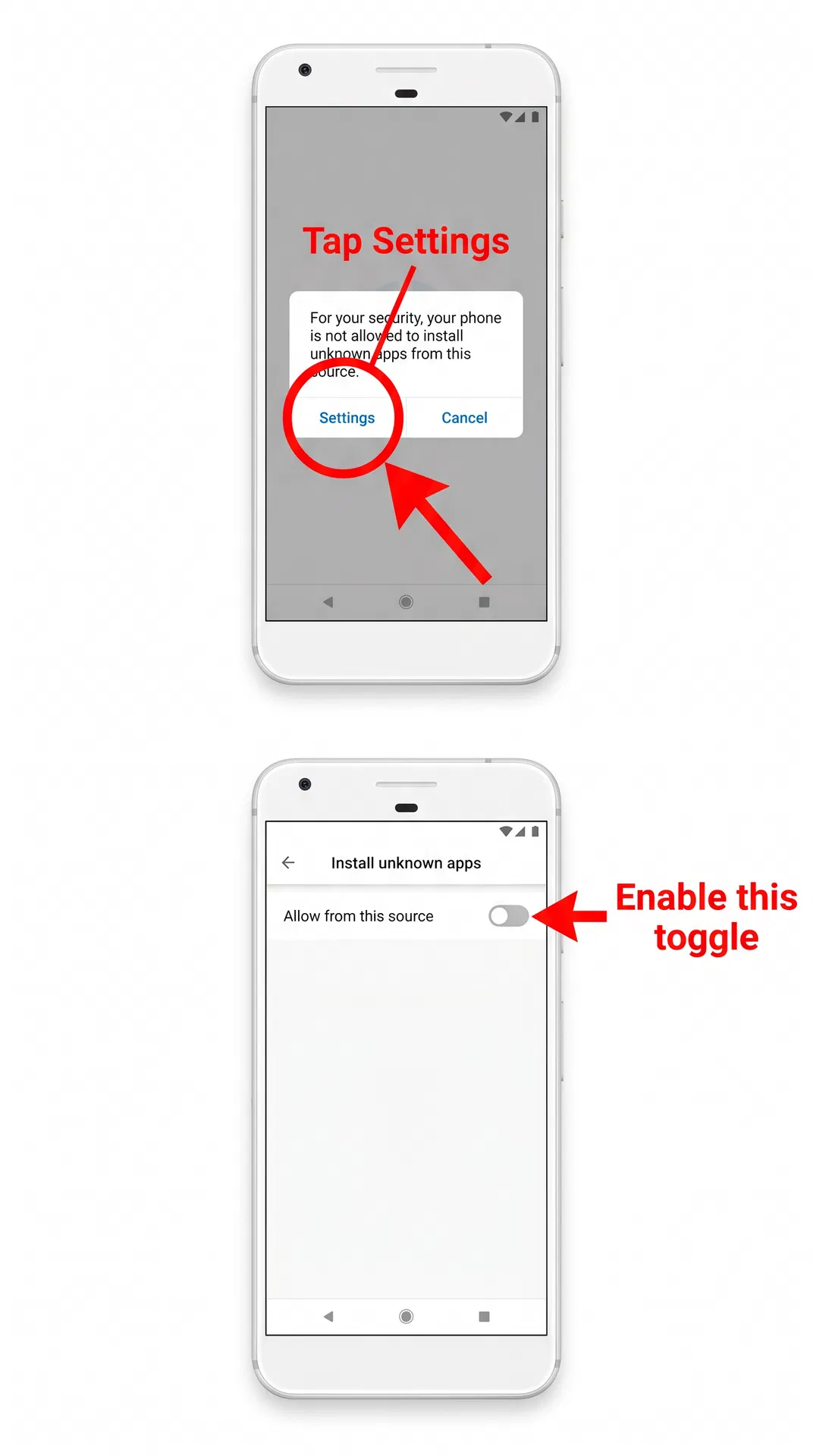
Allow Installation
When you open the file, Android will ask you to allow installation from this source. Tap "Settings" and enable "Allow from this source", then go back.
Tip: This is a one-time setting. Android requires this for any app installed outside the Play Store.
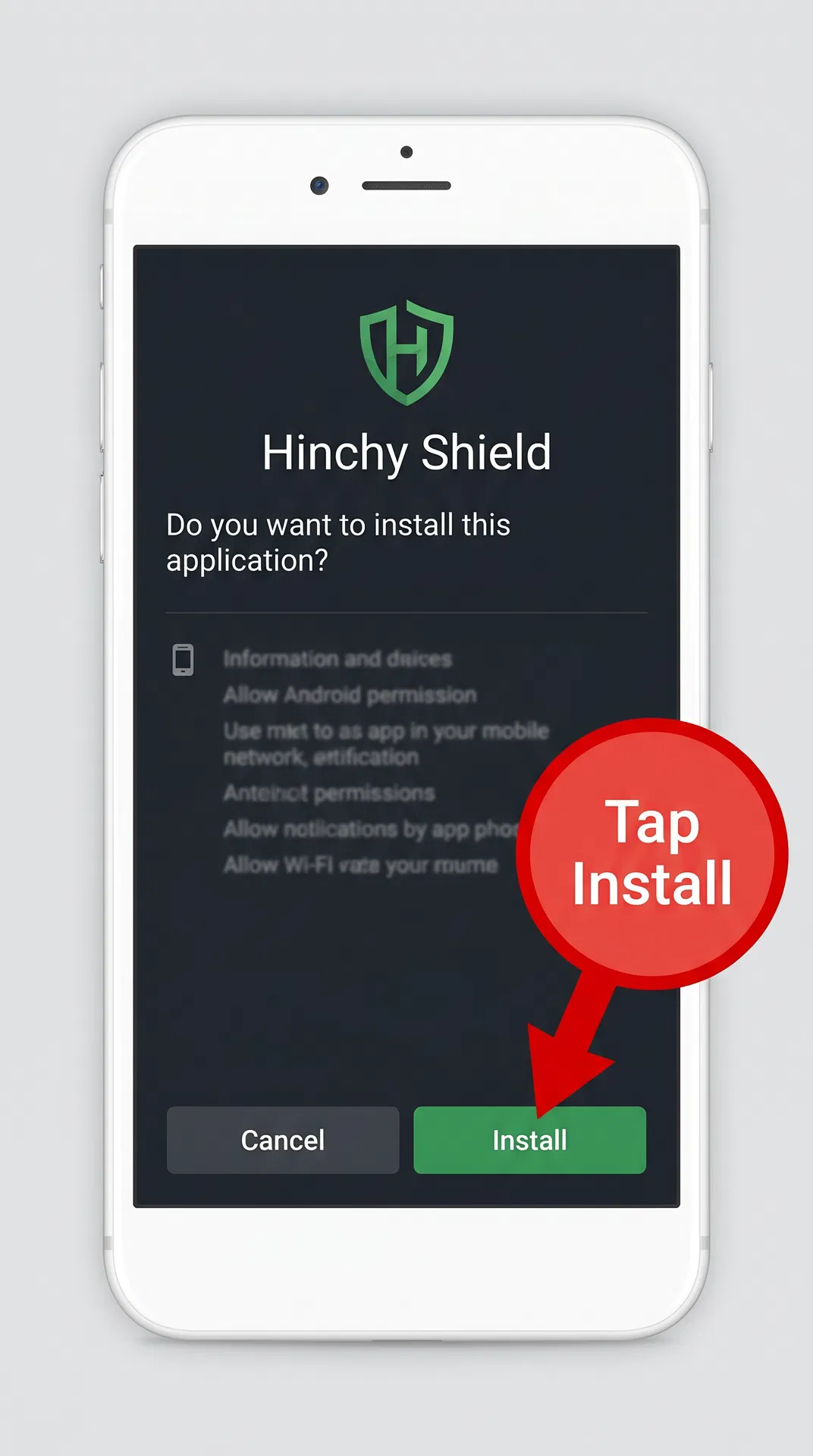
Install & Open
Tap "Install" and wait a few seconds. Once installed, tap "Open" to launch Hinchy's Shield.
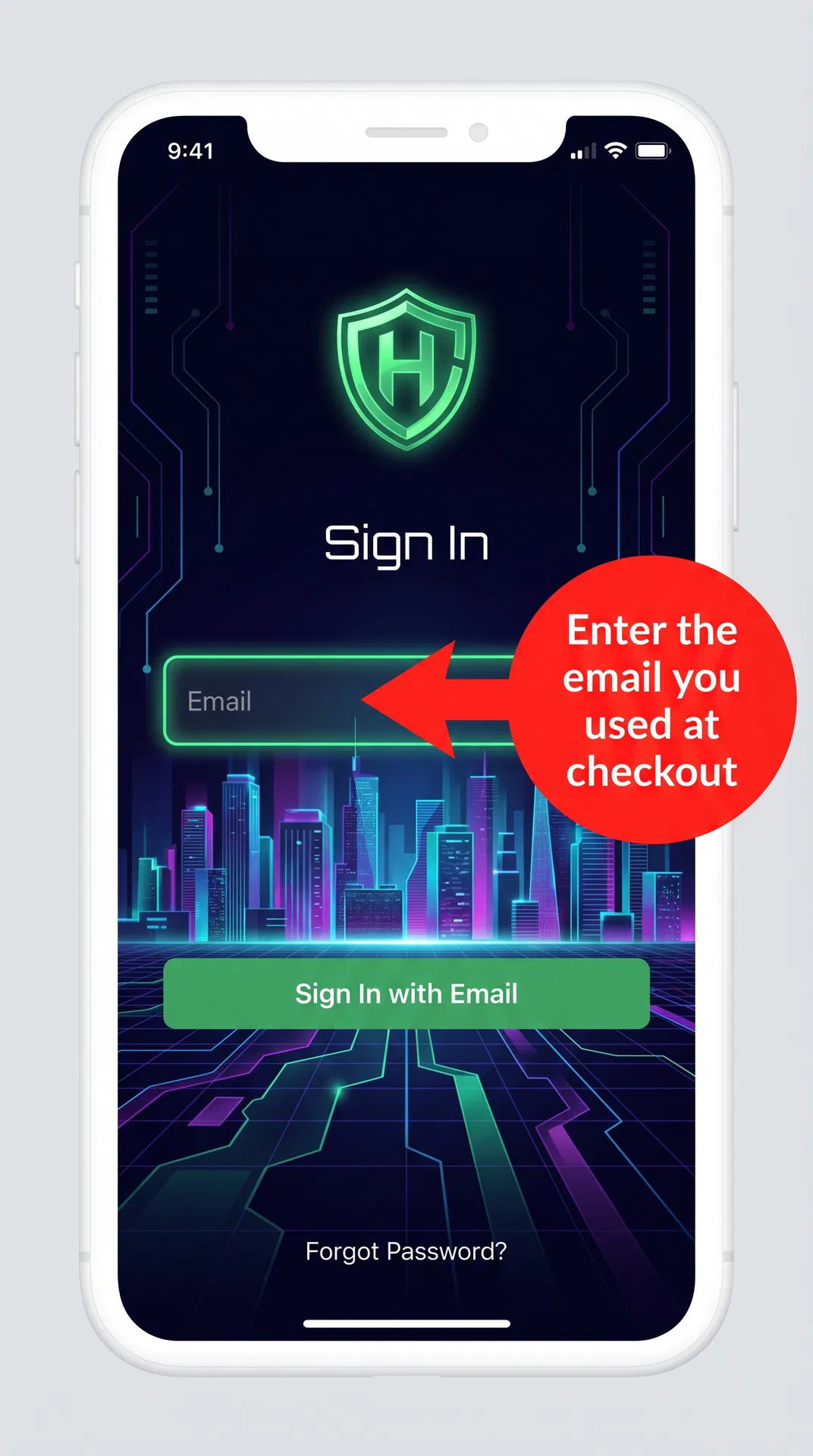
Activate PRO
Sign in with the email address you used to purchase. Your PRO features will activate automatically.
Tip: Use the same email you used at checkout. If you have issues, email [email protected].
Having Trouble?
- Download blocked? Open your browser settings and allow downloads, then try again.
- "Install from unknown sources" not appearing? Go to Settings → Apps → Special Access → Install Unknown Apps → select your browser → Allow.
- PRO not activating? Make sure you sign in with the exact email you used at checkout.
- Still stuck? Email [email protected] and we'll help you within 24 hours.
What's Included in Shield PRO:
Questions? We're here to help.
[email protected]