Your Shield PRO is Ready!
Follow the steps below to install Hinchy's Shield on your iPhone.
Payment Confirmed — Lifetime AccessInstallation Guide
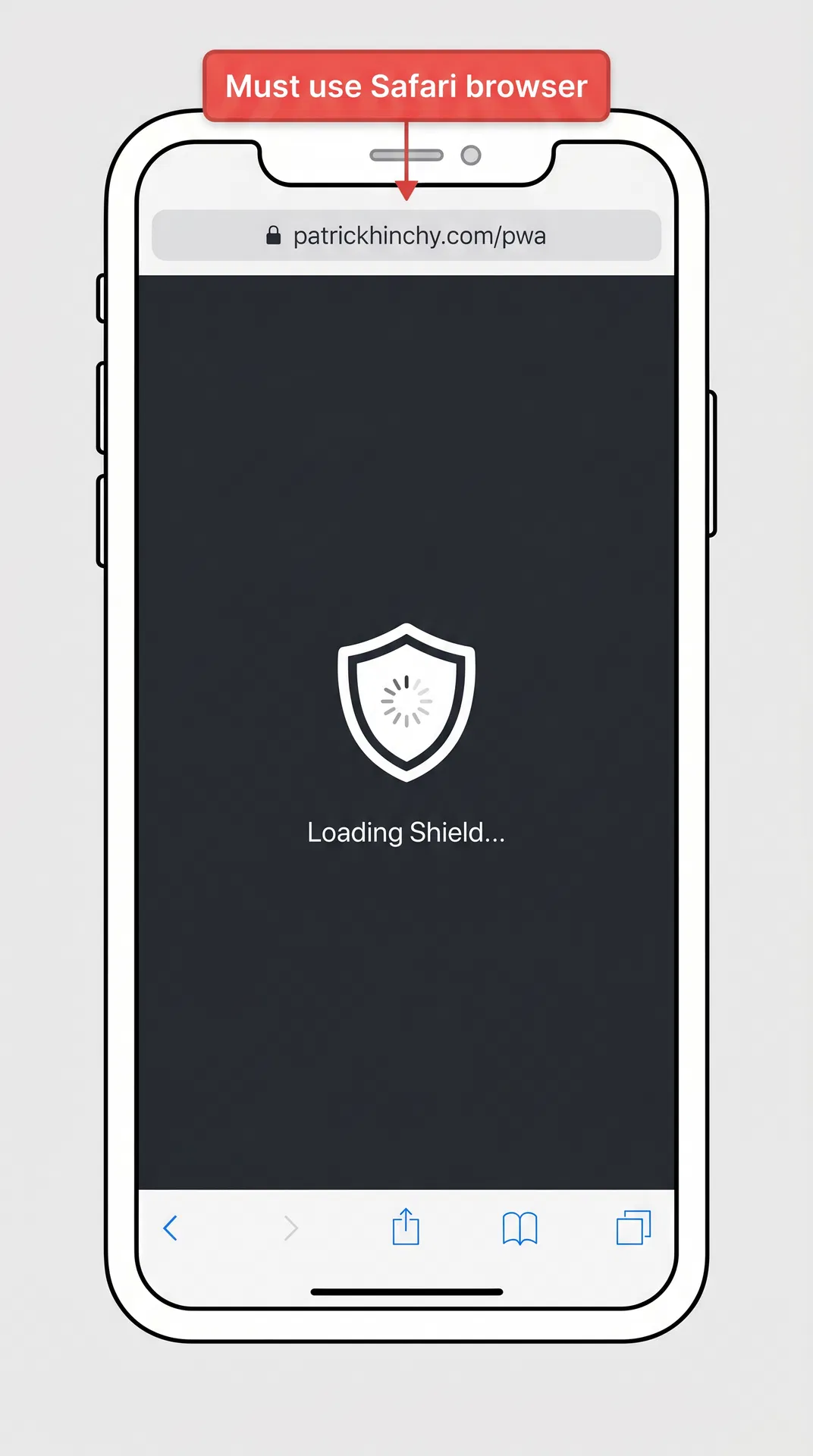
Open in Safari
This must be done in Safari — not Chrome, Firefox, or any other browser. Tap the button below to open the app page in Safari.
Tip: If you're reading this in another browser, copy the link and paste it into Safari's address bar.
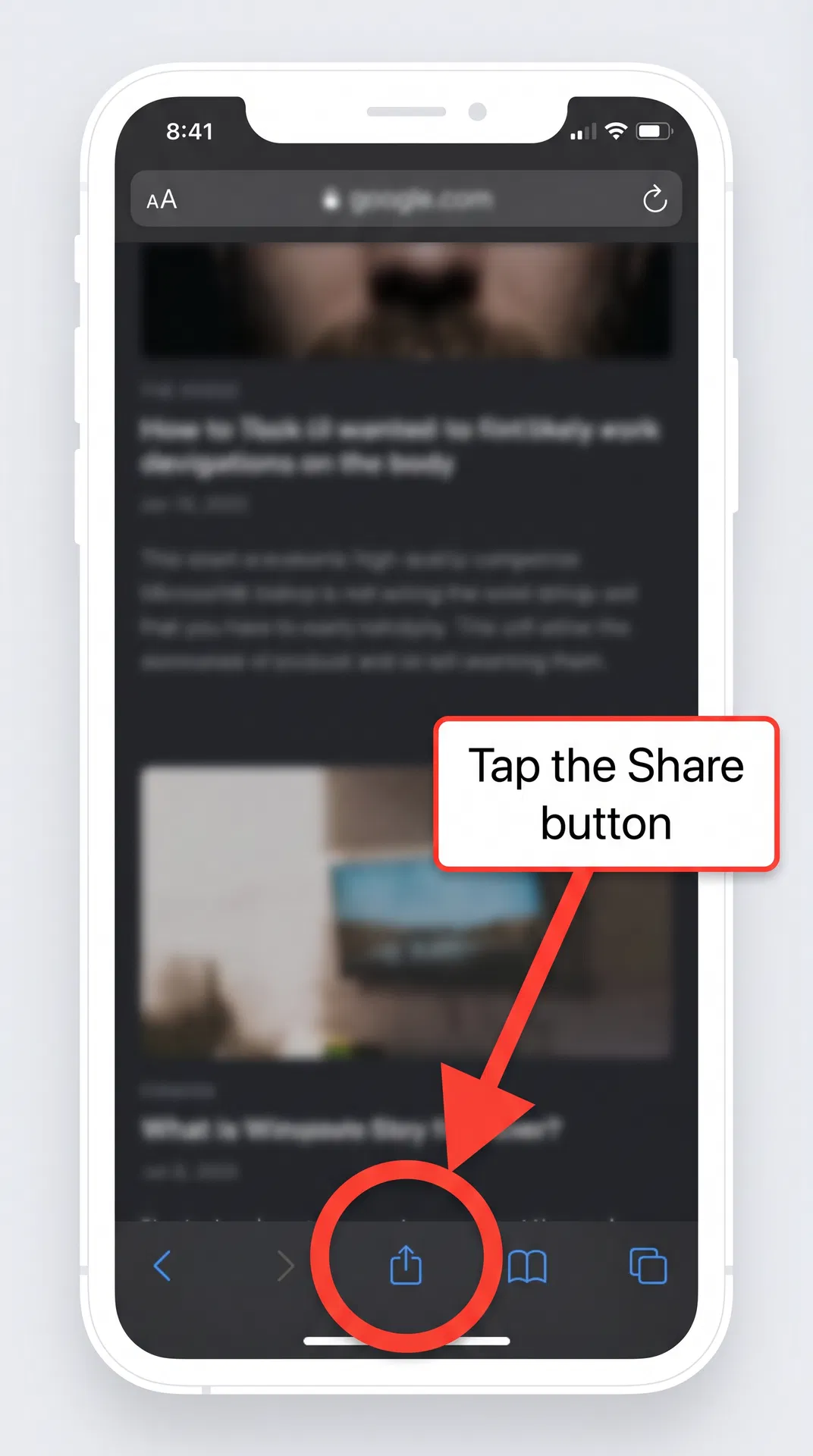
Tap the Share Button
At the bottom of Safari, tap the Share button — it's the square icon with an upward arrow.
Tip: If you don't see the toolbar, scroll up slightly or tap the bottom of the screen to reveal it.
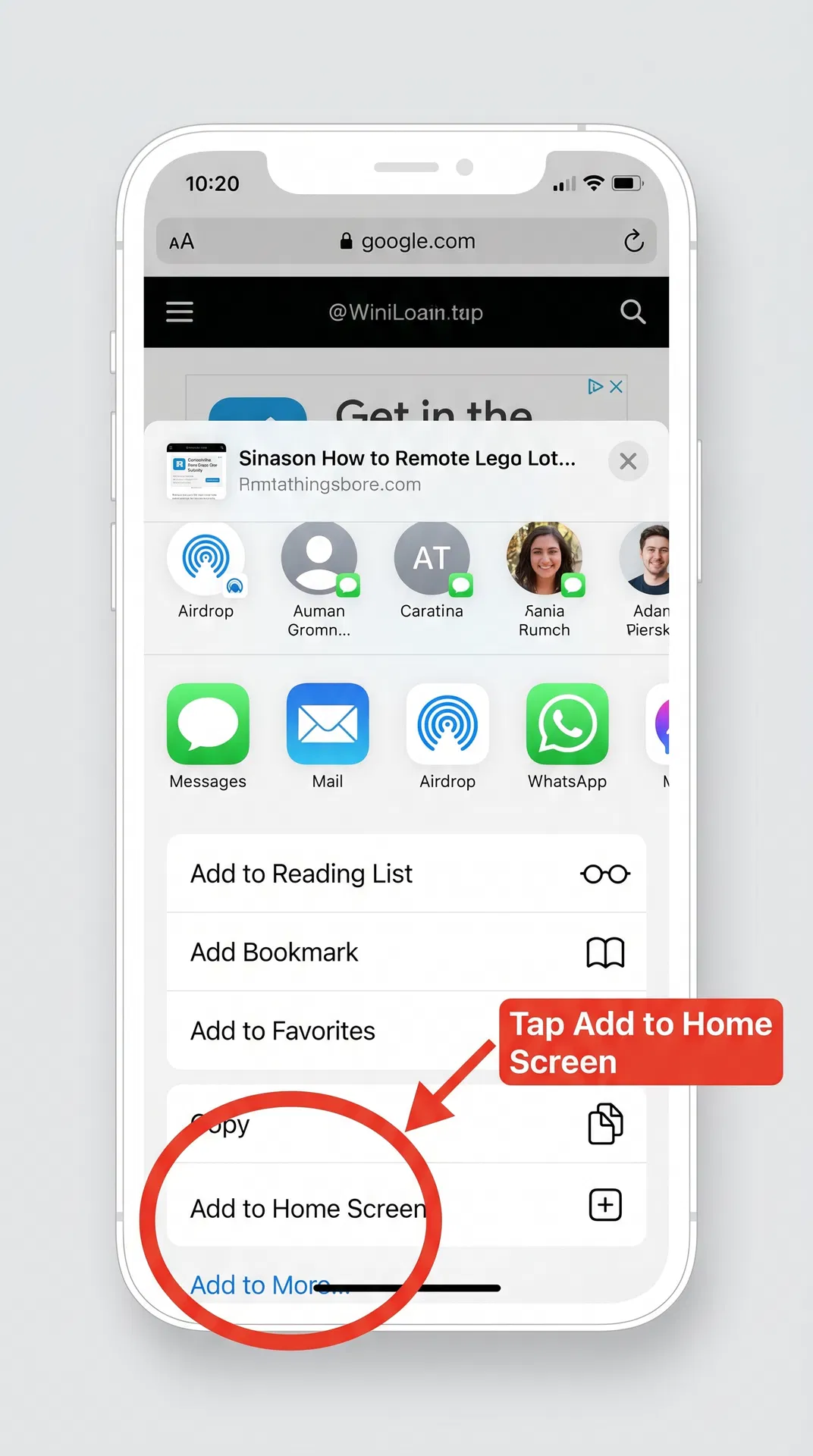
Tap "Add to Home Screen"
Scroll down in the share menu until you see "Add to Home Screen". Tap it.
Tip: If you don't see this option, make sure you're using Safari (not a Chrome or in-app browser).
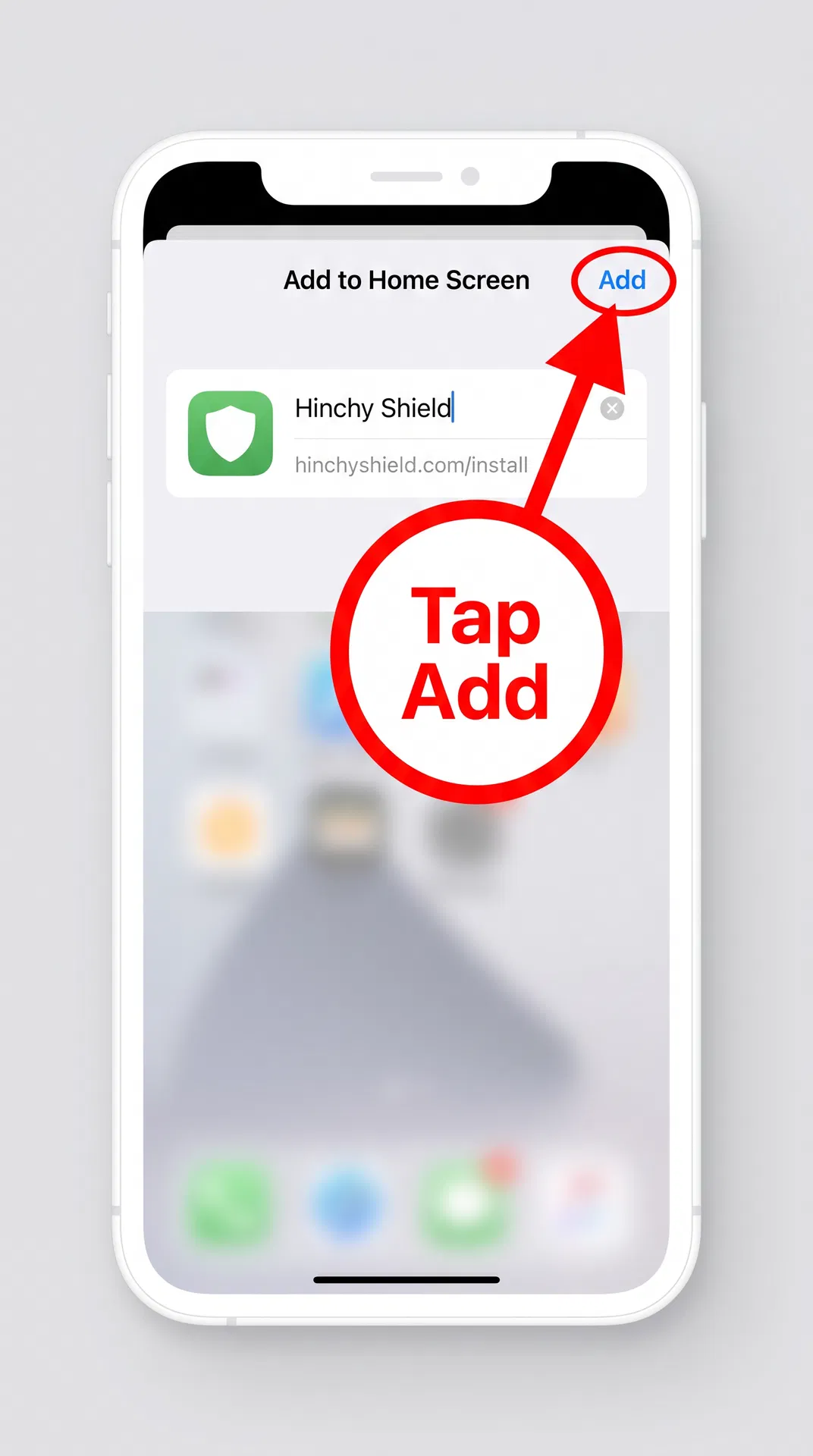
Tap "Add" to Confirm
You'll see a preview with the Hinchy Shield icon and name. Tap "Add" in the top-right corner to confirm.
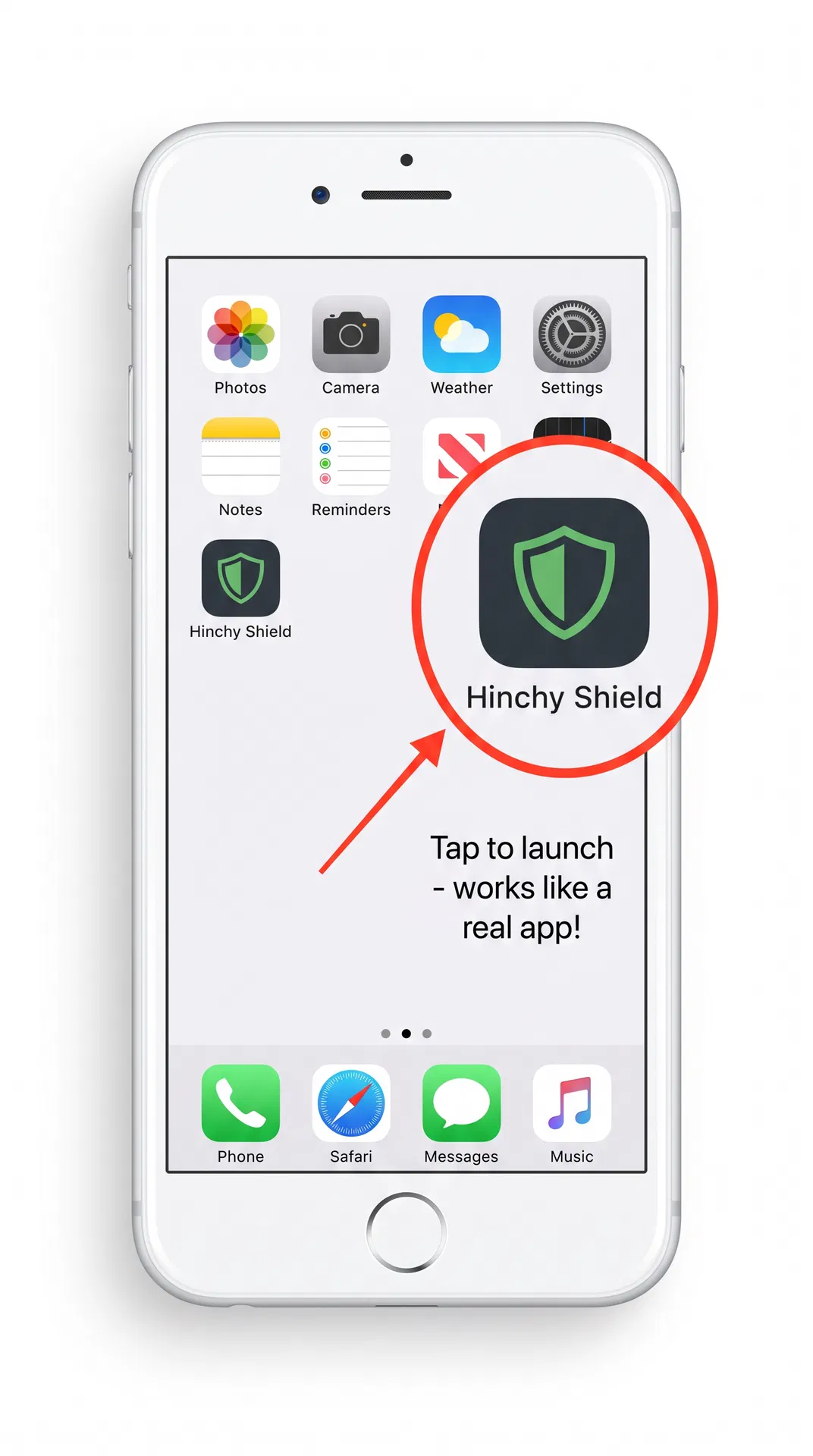
Launch from Home Screen
The Hinchy's Shield icon will now appear on your home screen, just like a regular app. Tap it to launch in full-screen mode.
Activate PRO
Sign in with the email address you used to purchase. Your PRO features will activate automatically.
Tip: Use the same email you used at checkout. If you have issues, email [email protected].
Why is this a Web App?
Hinchy's Shield for iPhone uses Progressive Web App (PWA) technology. Once installed, it looks and works just like a regular app — with its own icon, full-screen mode, and no browser chrome.
This approach lets us deliver updates instantly (no App Store review delays) and gives you the same protection features as the Android version.
Having Trouble?
- "Add to Home Screen" not showing? Make sure you're using Safari. This option is not available in Chrome, Firefox, or in-app browsers.
- Page looks different in Safari? Try clearing Safari's cache: Settings → Safari → Clear History and Website Data, then try again.
- PRO not activating? Make sure you sign in with the exact email you used at checkout.
- Still stuck? Email [email protected] and we'll help you within 24 hours.
What's Included in Shield PRO:
Questions? We're here to help.
[email protected]